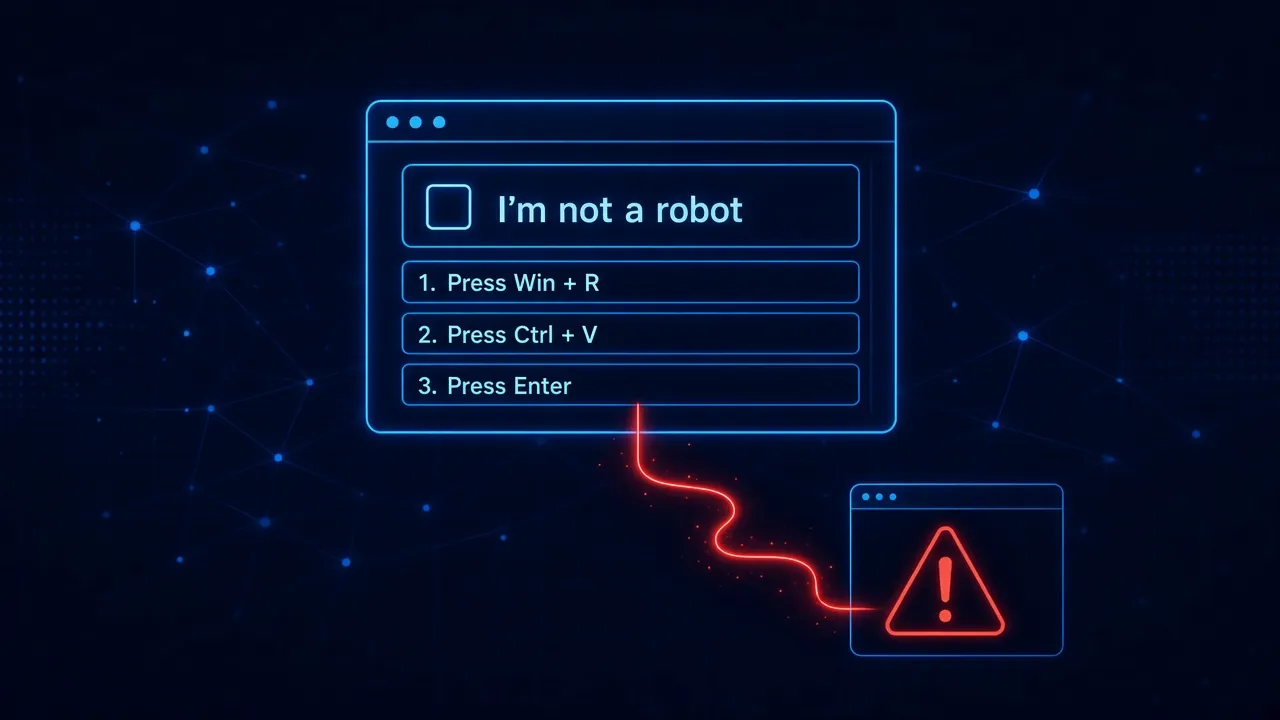
Somewhere right now, an employee is looking at a web page that says “Verify you are human.” There is a checkbox, a spinner, and then a helpful set of instructions: press Windows and R, press Ctrl and V, press Enter. Three keystrokes later, that employee has personally installed malware on a company machine. No attachment was opened. No file was downloaded. No vulnerability was exploited.
This is a ClickFix attack, and it has gone from a curiosity to one of the most common ways organizations get compromised. It works because it does not attack the computer at all. It attacks the person, in the browser, with a page that looks like every legitimate verification screen they have clicked through a thousand times before.
What Is a ClickFix Attack?
ClickFix is a browser social engineering attack that convinces the victim to run the attacker’s command with their own hands. The name comes from the lure: the page presents a problem and tells you to click to fix it. The most common disguise is a fake CAPTCHA, which is why the technique is also described as a fake CAPTCHA attack or a fake verification attack. Other versions pose as a broken document preview, a browser error, or a security check from a familiar brand.
The mechanics are almost insultingly simple:
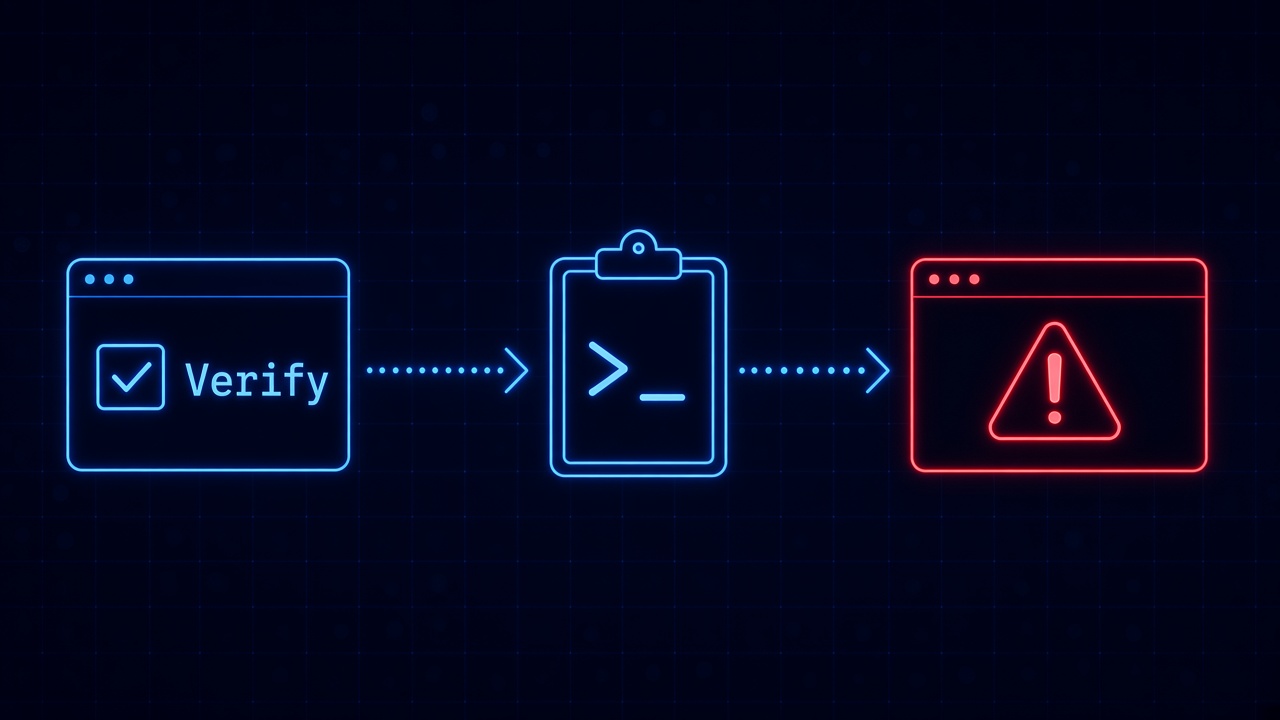
- The lure. The victim lands on a malicious or compromised page, often through search results, malicious ads, or a link in an email or message. The page shows a verification prompt, frequently dressed up as Google or Cloudflare.
- The clipboard trick. When the victim clicks the checkbox, hidden JavaScript silently copies a malicious command to their clipboard. The victim never sees it happen.
- The self-infection. The page then displays “verification steps”: open the Run dialog or a terminal, paste, and press Enter. The victim believes they are proving they are human. They are actually executing a PowerShell command that downloads and runs malware.
The technique was first documented by Proofpoint in early 2024, in campaigns run by the ClearFake and TA571 threat groups, which the researchers memorably titled “From Clipboard to Compromise: A PowerShell Self-Pwn” (https://www.proofpoint.com/us/blog/threat-insight/clipboard-compromise-powershell-self-pwn). The name fits. The defining feature of ClickFix phishing is that the final, decisive step of the attack is performed by the victim.
How Big Has the ClickFix Problem Become?
In two years, ClickFix has gone from a novel trick to a pillar of cybercrime. ESET’s telemetry recorded a 517 percent surge in ClickFix detections (https://www.eset.com/us/about/newsroom/research/eset-threat-report-clickfix-fake-error-surges-spreads-ransomware-and-other-malware/) between late 2024 and the first half of 2025, making it the second most common attack vector the company blocks, behind only phishing itself, and responsible for nearly 8 percent of all blocked attacks. Microsoft’s 2025 Digital Defense Report put it even more starkly: ClickFix appeared in 47 percent of the initial-access cases (https://thehackernews.com/2026/07/researcher-analyzes-3000-live-clickfix.html) handled by its Defender Experts team that year. The same research found ClickFix operations maturing into a service economy, with ready-made page builders for sale and API-driven servers that hand each visitor a freshly disguised payload.
And it is still growing. ESET’s H1 2026 report (https://www.eset.com/me/about/newsroom/press-releases/press-releases/eset-threat-report-ai-boosts-cyber-attackers-efficienc/) found detections more than doubled again between late 2025 and mid 2026, with the lures expanding beyond fake CAPTCHAs into AI-themed troubleshooting pages and even OAuth consent screens that hijack cloud accounts without stealing a single password.
The technique has also moved upmarket. Proofpoint documented state-sponsored groups from North Korea, Iran, and Russia (https://www.proofpoint.com/us/blog/threat-insight/around-world-90-days-state-sponsored-actors-try-clickfix) adopting ClickFix in espionage campaigns within months of its appearance, including Kimsuky, MuddyWater, and campaigns linked to APT28. When cybercriminals and intelligence services converge on the same technique this quickly, it is because the technique works.
What Malware Does a Fake CAPTCHA Actually Deliver?
Almost anything. The most common payload is Lumma Stealer, an infostealer that raids the browser for saved passwords, cookies, and session tokens. In one campaign Microsoft analyzed in early 2026, the pasted command unpacked a renamed archive utility, added Microsoft Defender exclusions, and injected Lumma Stealer into Chrome and Edge (https://www.theregister.com/security/2026/03/06/microsoft-spots-clickfix-scam-spreading-lumma-infostealer/5207455), quietly siphoning every credential the browser held. That campaign also showed how fast the playbook evolves: instead of the well-known Run dialog, victims were directed to open Windows Terminal with a different shortcut, sidestepping detections tuned to the old pattern.
Beyond infostealers, documented ClickFix malware includes remote access trojans like DarkGate, AsyncRAT, and NetSupport RAT, ransomware, cryptominers, and custom nation-state tooling. A single fake CAPTCHA malware page does not care who you are. It hands out whatever its operator loaded that week, and Malwarebytes found single campaigns rotating through multiple malware families (https://www.malwarebytes.com/blog/threat-intel/2026/07/fake-google-and-cloudflare-verification-pages-spread-multiple-malware-families) behind the same fake Google and Cloudflare verification pages, with kits that serve different payloads for Windows, macOS, Linux, and Android.
Why Don’t Antivirus and Email Filters Stop ClickFix?
Because ClickFix was designed around them. Consider what the traditional security stack is watching for. Email filters inspect attachments and links in the inbox, but many ClickFix attacks never touch email at all: they arrive through poisoned search results, malicious ads, and compromised legitimate websites. Antivirus watches for malicious files being downloaded and executed, but the initial ClickFix step downloads nothing. The victim pastes a command into a trusted system tool, and PowerShell running a command at the user’s request looks exactly like normal computer use. Researchers at ReversingLabs describe this as a structural blind spot (https://www.reversinglabs.com/press-releases/clickfix-attacks-evade-antivirus-and-edr): the activity is indistinguishable from an administrator doing their job, which is precisely why the technique keeps evading antivirus and EDR tools.
Browser warnings fare no better. Reputation systems flag known-bad domains, but ClickFix pages are churned out faster than blocklists update, and the page itself does nothing obviously malicious. It shows text and copies something to the clipboard. The malicious act happens outside the browser, performed by the user.
This is the same gap we described in why phishing protection cannot end at the inbox: the decisive moment of the attack happens in the browser, after every perimeter control has already waved the traffic through. ClickFix is arguably the purest example of a browser social engineering attack yet observed. There is no exploit to patch and no malware to quarantine until the victim has already run it.
Why Do Smart People Fall for the Fake Verification Page?
Because the internet trained them to. Every one of us has clicked “I’m not a robot,” selected the traffic lights, and followed odd little verification rituals to reach the content we wanted. CAPTCHAs normalized the idea that websites may ask you to do something strange before you can proceed. ClickFix simply extends the ritual by a few steps, and the victim complies for the same reason they always have: the steps stand between them and the thing they were trying to do.
The timing is also on the attacker’s side. The employee who encounters a fake verification attack is mid-task: chasing a report, opening a shared document, looking up a vendor. Security training from months ago is not present in that moment, and the instructions do not resemble anything the training warned about. There is no suspicious sender, no misspelled domain to squint at, no attachment. Just a familiar-looking checkbox and a page that seems mildly, plausibly broken. As AI keeps making these lures cheaper and more convincing, the fakes are only getting harder to distinguish from the real thing.
Variants keep shifting the details, too. FileFix moves the paste into the File Explorer address bar. Newer versions target Windows Terminal, macOS Terminal, and cloud sign-in consent screens. Teaching employees to recognize one specific trick is a losing race when the trick is redesigned every few months.
How Do You Actually Protect Employees From ClickFix Attacks?
The honest answer is that awareness alone will not do it. It absolutely helps to teach one bright-line rule: no legitimate website will ever ask you to open a terminal or the Run dialog and paste a command. That rule is worth repeating in every security briefing. But rules recited in January do not reliably surface in an employee’s mind during a busy afternoon in August, and ClickFix succeeds precisely because it does not look like the attacks people were warned about.
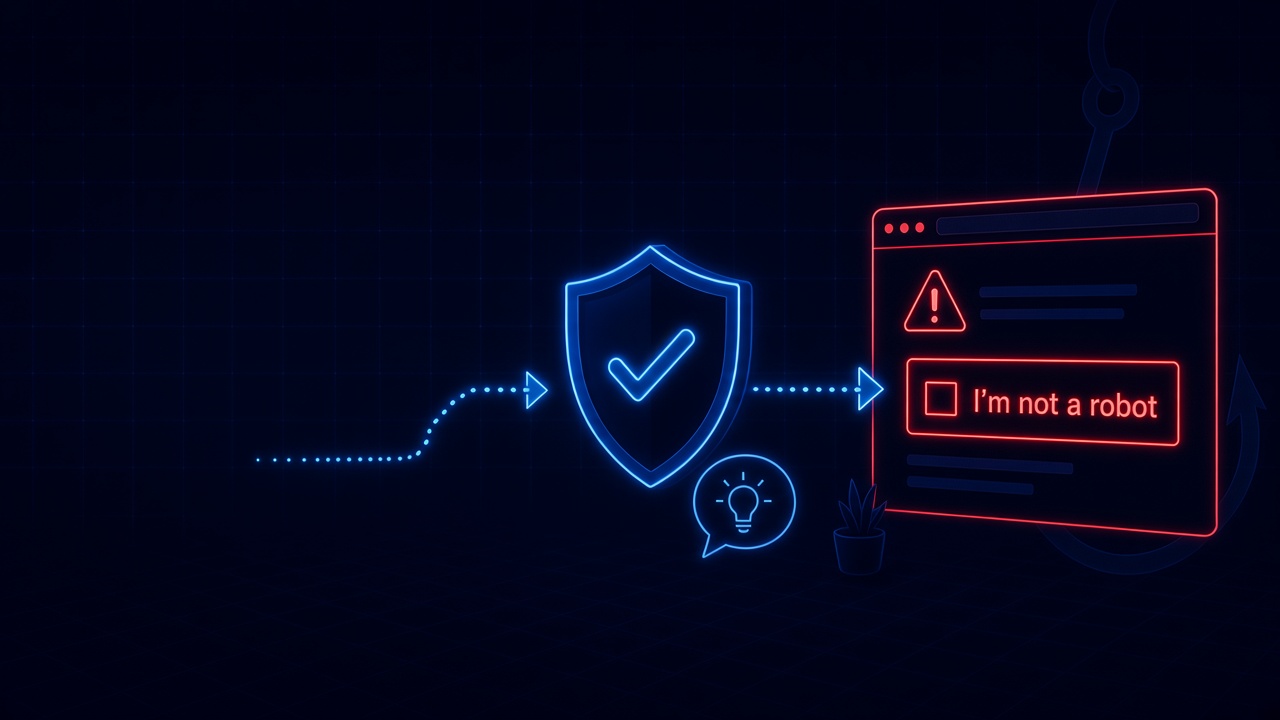
The more durable defense is protection at the moment of decision. If a security layer is watching the browser itself, the attack is visible at every stage: the page impersonating a CAPTCHA, the script writing to the clipboard, the instructions telling the user to paste and run. Intervening right there, before the paste ever happens, turns the employee’s most dangerous moment into a non-event. And because the close call just happened, it is also the perfect teaching moment: a short lesson explaining what the fake verification page was doing lands far better than a generic training module ever could.
ClickFix is not going away. It is cheap, effective, sold as a service, and adopted by everyone from ransomware crews to intelligence agencies. What organizations can change is where their defenses live. An attack that happens entirely in the browser, at the moment a person decides to comply, needs protection that lives in the browser at that same moment.
How SavvyShield helps: SavvyShield’s browser extension is built for exactly this class of attack. It analyzes pages in real time and detects the signs of social engineering, including fake CAPTCHA and verification lures, and steps in before the employee follows the instructions. Each blocked attempt becomes a short, targeted lesson tied to what the person actually experienced, and realistic in-browser simulations combined with adaptive human risk management keep strengthening each user’s weakest points automatically, with no campaigns to run.