
SavvyShield Essentials
Protect yourself and your family from online scams
Scammers use fake login pages, scam pop-ups, and lookalike websites to trick people into handing over money and passwords. SavvyShield Essentials watches your browser for those tricks in real time and steps in before they cost you.
Set up in minutes. Works with Chrome, Edge, and Firefox.
Scams are not just a business problem anymore
AI has made scams cheaper to run and far more convincing, and most of them end up in the same place: your browser. They target everyone: you, your parents, your friends, anyone who shops, banks, or signs in online. These are the tricks SavvyShield watches for.
Fake login pages
Lookalike sign-in pages for banks, email, and shopping sites that steal your password the moment you type it.
Scam pop-ups and fake alerts
Fake virus warnings and security alerts designed to scare you into calling a number or installing something harmful.
Lookalike websites
Convincing copies of shopping, banking, and support sites built to take your card details or trick you into a fake purchase.
How it protects you
Add it to your browser
SavvyShield Essentials lives where scams actually happen: in your browser. It works with Chrome, Edge, and Firefox, and setup takes minutes.
It watches in real time
As you browse and click, SavvyShield looks for the signs of phishing and social engineering, like fake login pages and deceptive links.
It steps in and explains
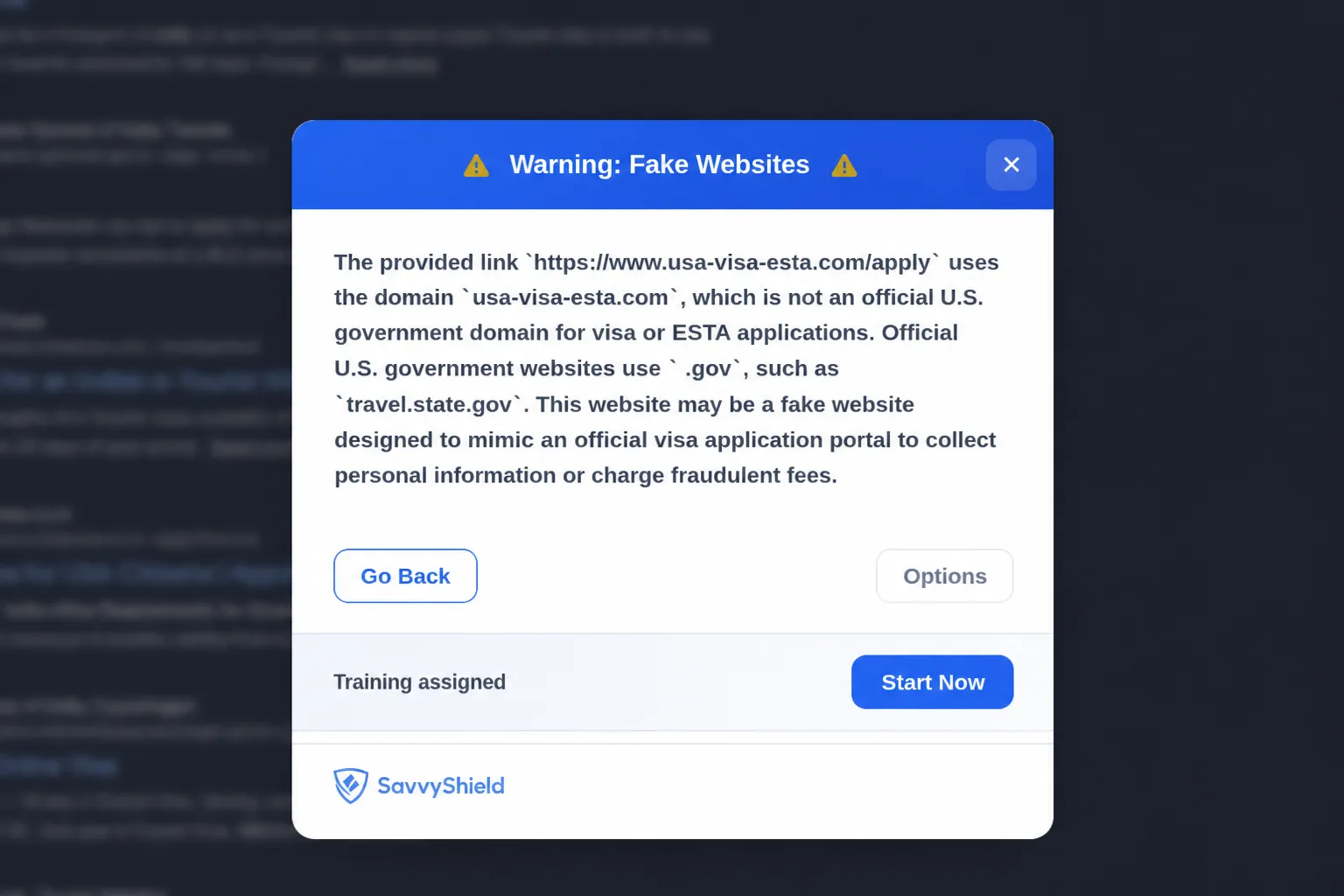
When something is risky, SavvyShield stops the action and tells you what it saw in plain language, so you learn to spot the next one yourself.
What you get
SavvyShield Essentials
- Real-time phishing and scam detection while you browse
- Protection that steps in before a risky click becomes a loss
- Plain-language explanations of what was caught and why
- Works with Chrome, Edge, and Firefox
Looking to protect your business?
SavvyShield for business adds adaptive phishing simulations, security awareness training, and reporting for your whole team.